Search results for tag #mikrotik
![[?]](https://media.bsd.cafe/bsdmmedia01/accounts/avatars/113/669/805/004/044/990/original/1d8537dc414c57ea.png)
![[?]](https://mikrotik.social/system/accounts/avatars/110/383/270/751/993/877/original/64e5ca41b8c3a427.jpg)
New version! #MikroTik RouterOS 7.24beta2 is available in the Development channel https://mikrotik.com/download
New version! #MikroTik RouterOS 7.23.1 is available in the Stable channel https://mikrotik.com/download
![[?]](https://files.mastodon.social/accounts/avatars/000/284/255/original/180b5757a494b7a9.jpeg)
Ever fancied finally putting your #MikroTik skills to the test? Perhaps you’ve never been formally trained by a professional MikroTik Certified Trainer before or think you can learn everything you need to by watching some videos or reading the help manual. Let me prove you wrong! 😀 I’m delivering MikroTik Certified courses at a new venue in Central London. Right close by to Charing Cross in fact. Early bird pricing until next month. https://mikrotiktraining.co.uk/product/mikrotik-mtcna-training-course/
#MikroTik online help documentation has moved. It’s now on a new platform located at https://manual.mikrotik.com/
![[?]](https://assets.chaos.social/accounts/avatars/000/005/557/original/6058d305b7e6ea69.png)
New version! #MikroTik RouterOS 7.23 is available in the Stable channel https://mikrotik.com/download
![[?]](https://transitory.social/files/85ffb071-1f8e-4b69-8ae8-0e684e31583f.webp)
LMFAO:https://forum.mikrotik.com/t/v7-23rc-testing-is-released/269915
dhcpv4-server - added "add-dns-entries" and "add-dns-entries-suffix" properties for creating local DNS entriesAfter I just spent an evening working with a dhcp-> dns script

#Homelab #Mikrotik
New version! #MikroTik RouterOS 7.23rc4 is available in the Testing channel https://mikrotik.com/download
![[?]](https://cdn.bsdlab.au/8d8a9d30335d0605b8a35c242faae5215a127ec6c86aee00aeee2ccb28748164.png)
https://mikrotik.com/product/hap_be3_media
2.4ghz around here is unusable and 5 GHz is rapidly approaching the same
#Mikrotik
@littlealex Ne Erklärung muss es dafür geben… Frag mal bei Miktotik nach bzw. im Forum… Ich liebe die Teile einfach, habe meine Kunden komplett auf #mikrotik umgestellt und bin wirklich happy damit.
![[?]](https://media.infosec.exchange/infosec.exchange/accounts/avatars/109/592/993/565/497/004/original/056e070d0fa487bc.jpg)
Ich mag Mikrotik nicht.
Cisco-Switch 20min bis er grundsätzlich läuft, Comware vielleicht 15min und auch nur wenn es etwas aufwendiger ist, zum Beispiel ein Stack.
Irgendwie ist das totales Gefrickel und ich glaube das ist inzwischen persönlich...

Ich hab hier 14 Mikrotik-Switches CRS326-24. Bei sechs kann ich auf SwitchOS umstellen, bei allen anderen nicht, obwohl überall die gleichen Versionen installiert sind. Das Aufrufen des Boot-Menüs klappt einfach nicht.
Für Access-Switches soll es aber unbedingt SwitchOS und nicht RouterOS sein, weil der Kunde es einfach haben will....

@captainepoch I only use the Fritz as modem and for DECT. Here and at some customers the #mikrotik routers are connected as „exposed host“ or sometimes the Fritz is in „bridge mode“.
New version! #MikroTik RouterOS 7.22.3 is available in the Stable channel https://mikrotik.com/download
New version! #MikroTik RouterOS 7.23rc3 is available in the Testing channel https://mikrotik.com/download
![[?]](https://files.mastodon.social/accounts/avatars/113/122/766/976/114/926/original/7f40471505925817.png)
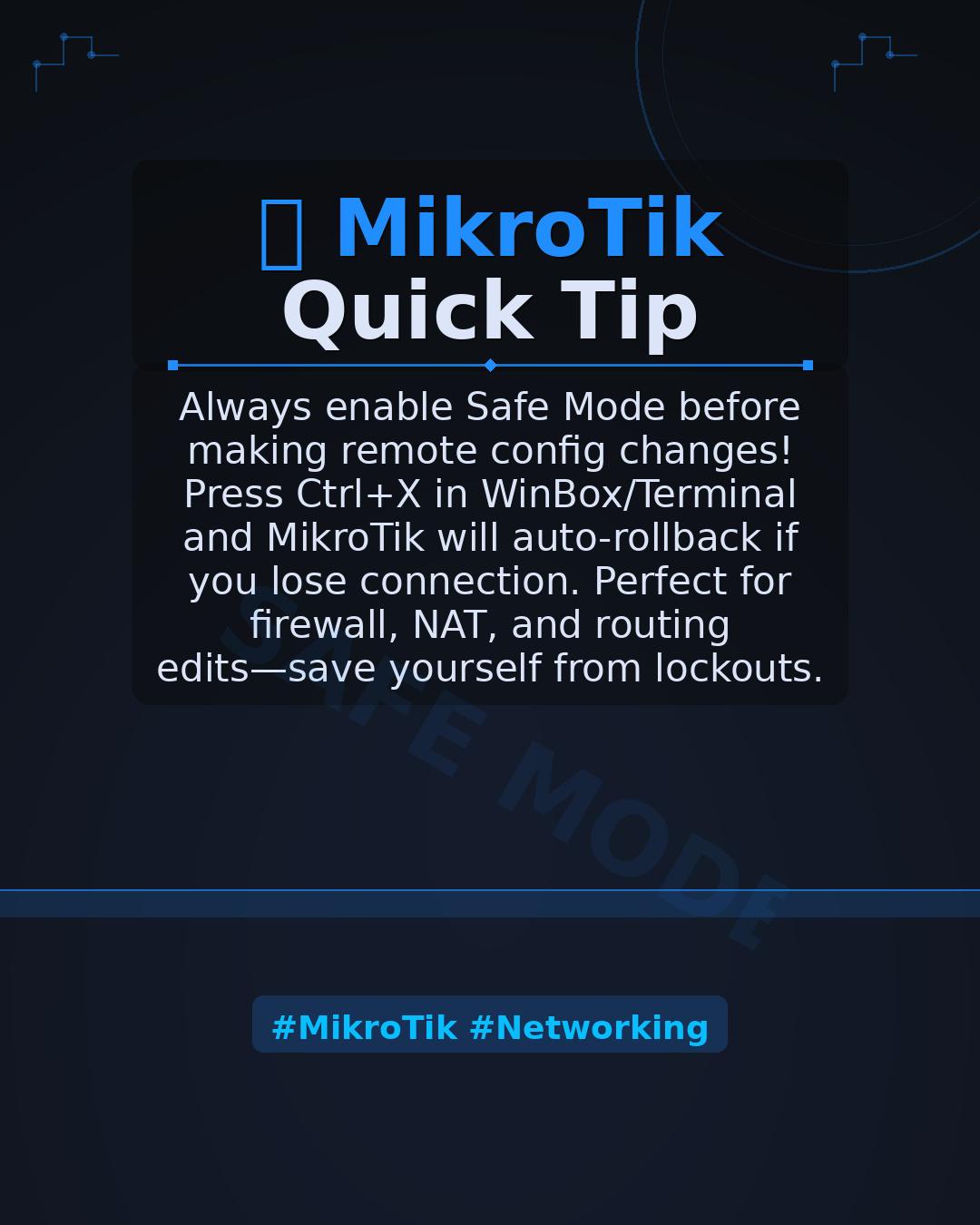
💡 MikroTik Quick Tip: Always enable Safe Mode before making remote config changes! Press Ctrl+X in WinBox/Terminal and MikroTik will auto-rollback if you lose connection. Perfect for firewall, NAT, and routing edits—save yourself from lockouts. #MikroTik #Networking
There’s never been a better time to learn computer networking. Growing cloud and IT demand make networking skills more valuable than ever. Build real-world skills with MikroTik Users at www.mikrotikusers.com.
#ComputerNetworking #ITSkills #CloudComputing #MikroTik #NetworkEngineering #ITCareers

![[?]](https://media.burningboard.net/accounts/avatars/109/892/422/024/311/931/original/f22e604f554272c0.png)

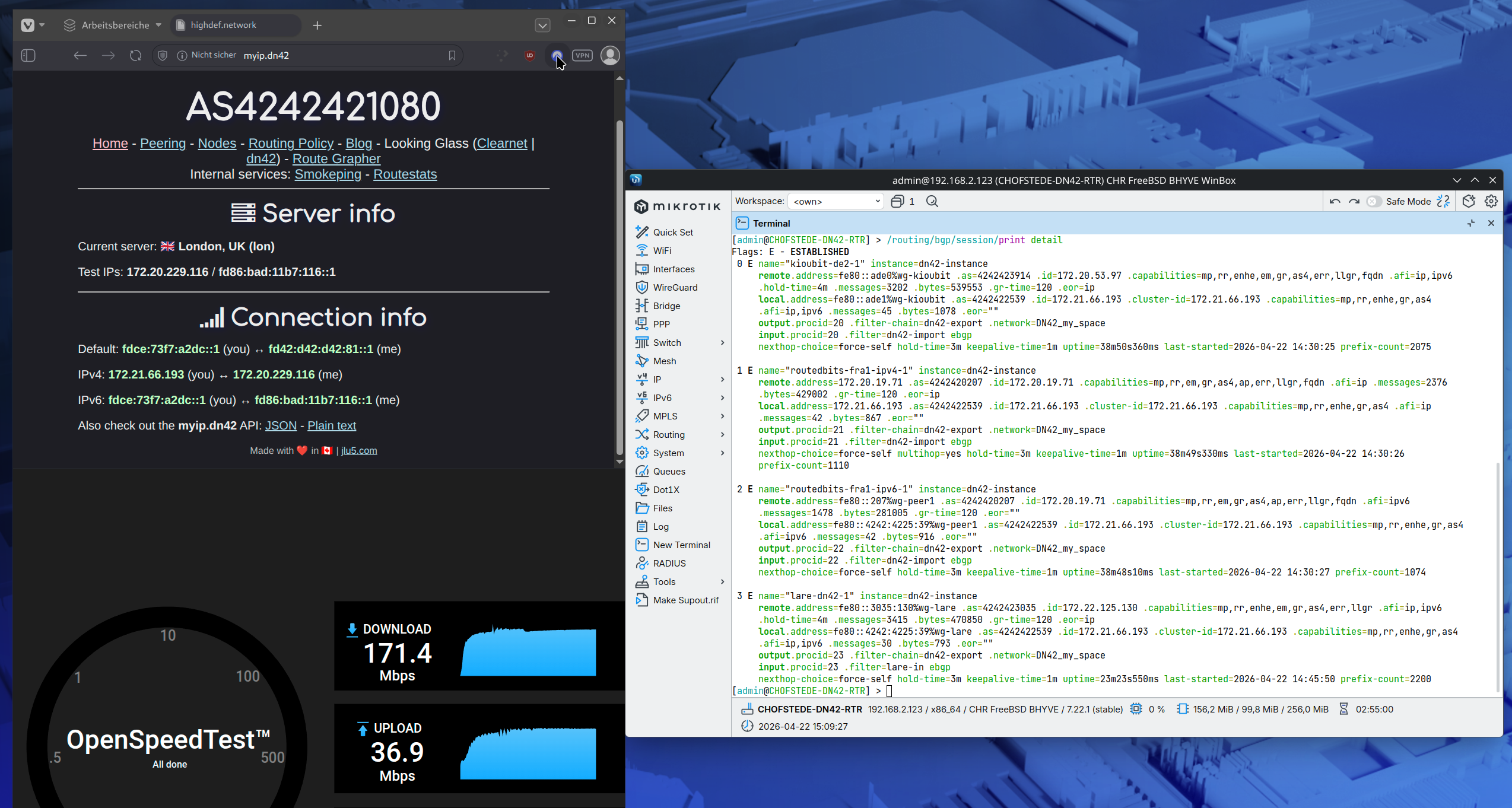
New post: Joining DN42. The parallel hobbyist BGP network on WireGuard.
The setup: ASN registered via a git PR, MikroTik CHR on bhyve as border, three WireGuard peerings, FreeBSD jail running PowerDNS + nginx.
The fun part: blog.chofstede.dn42 serves the same content as blog.hofstede.it, but with a TLS cert signed by DN42's own CA and zero packets on the public internet. Two front doors to the same building.
New version! #MikroTik RouterOS 7.22.2 is available in the Stable channel https://mikrotik.com/download
New version! #MikroTik RouterOS 7.23rc2 is available in the Testing channel https://mikrotik.com/download
Well, now that is looking healthy 🙂
DN42 with working DNS resolution, Dual-Stack with IPv4 and IPv6, proper speed of almost 200mbps / 40mbps and 4 peers that exchange routes cleanly with my router (two MultiProtocol, one seperated into IPv4 and IPv6)
Even have a server running in DN42, that is actually reachable:
v4: 172.21.66.194
v6: fdce:73f7:a2dc::194
Time for a Beer 🍺
#routing #networking #as42 #mikrotik #linux #ipv6
New version! #MikroTik RouterOS 7.21.4 is available in the Long-term channel https://mikrotik.com/download
New post: Part 4 of running my own AS.
A direct BGP session with Hetzner on FogIXP, a fourth FreeBSD edge in Zürich, and a MikroTik at home speaking iBGP into the /48 - so my home LAN now has provider-independent IPv6 and exits AS201379 like any other site.
Plus a two-condition route-map that steers DTAG-bound traffic over Vultr.
![[?]](https://media.bsd.cafe/bsdmmedia01/accounts/avatars/115/276/840/417/131/111/original/507e2134cf9f2a8d.webp)
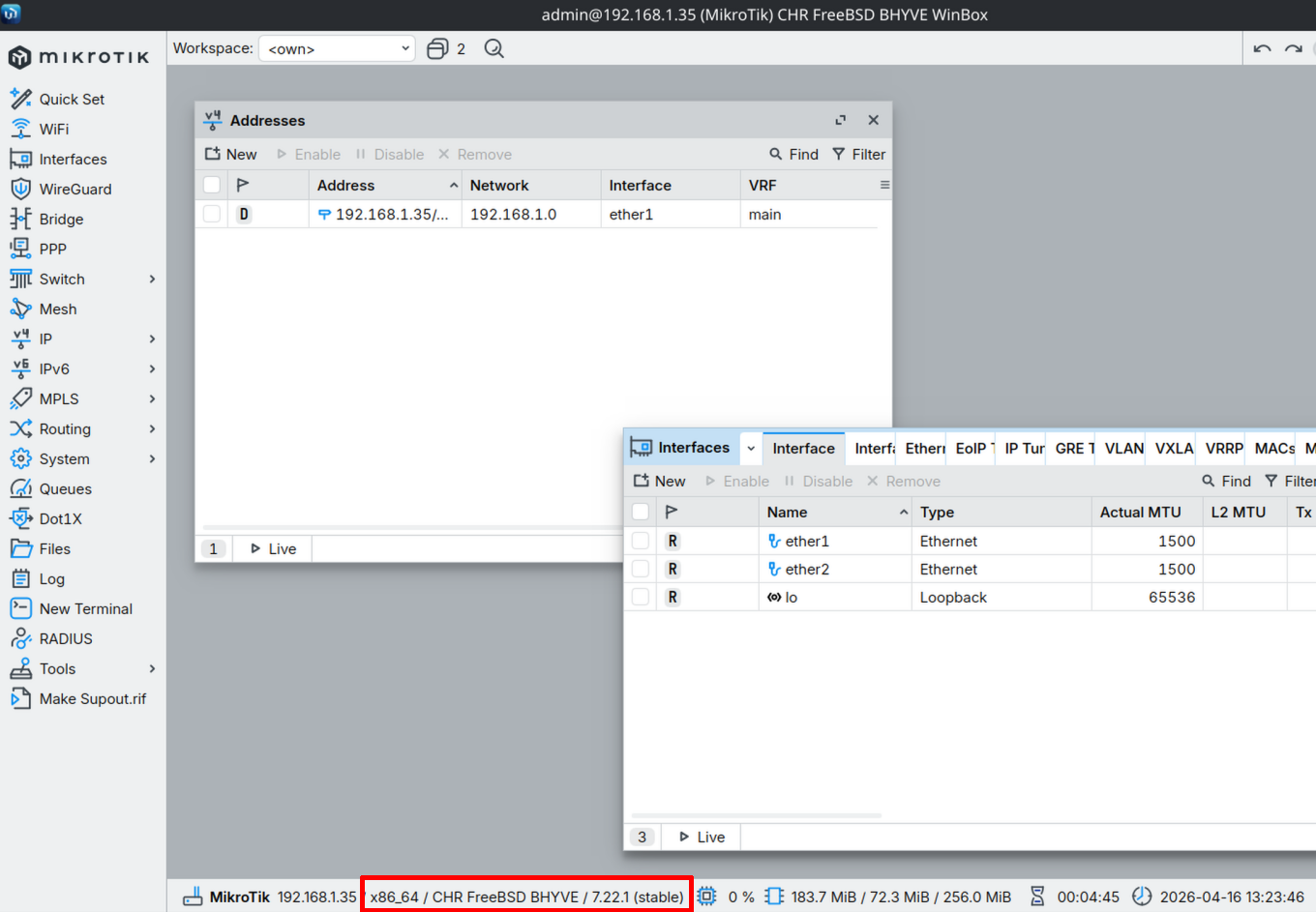
Successfully virtualized a MikroTik Router ("Cloud Hosted Router") on FreeBSD 15.0-RELEASE with BHYVE 
Works absolutely great (920 Mbit/s throughput on a 1GBps license!)
#freebsd #mikrotik #routeros #networking
New version! #MikroTik RouterOS 7.23rc1 is available in the Testing channel https://mikrotik.com/download
Funny deadlock situation... I’ve reached peak security on my remote MikroTik Router (AS201379).
By "peak security," I mean I’ve successfully locked everyone out - including myself. SSH, WWW, and WinBox are dark. Even the Hypervisor management is trapped behind the router's new, very effective, accidental firewall rules.
The data plane is running perfectly, which is the ultimate taunt. See you tomorrow for the 80-mile "Serial Cable Walk of Shame" to the datacenter.
This is a brutal reminder that the "Safe Mode" button in WinBox isn't just a feature. It’s a lifeline.
#sysadmin #mikrotik #networking #fail #AS201379 #PacketPushers
@MikrotikTrainer I’m doing multiple VLANs for quite some time now using MVRP on my #mikrotik devices and *thats* the way I call easy!
Single mvrp enabled bridge. Easy access port setting. Dynamic setting of trunk ports. Pure fun!
Try to change your #wireguard MTU from 1420 to 1380 if
* using IPv6
* client is behind CGN (therefore is using IPv6!)
* you encounter any other strange behavior
This return of a long missed MikroTik CAPsMAN feature should be shouted from the rooftops not hidden with the help documents! 😀
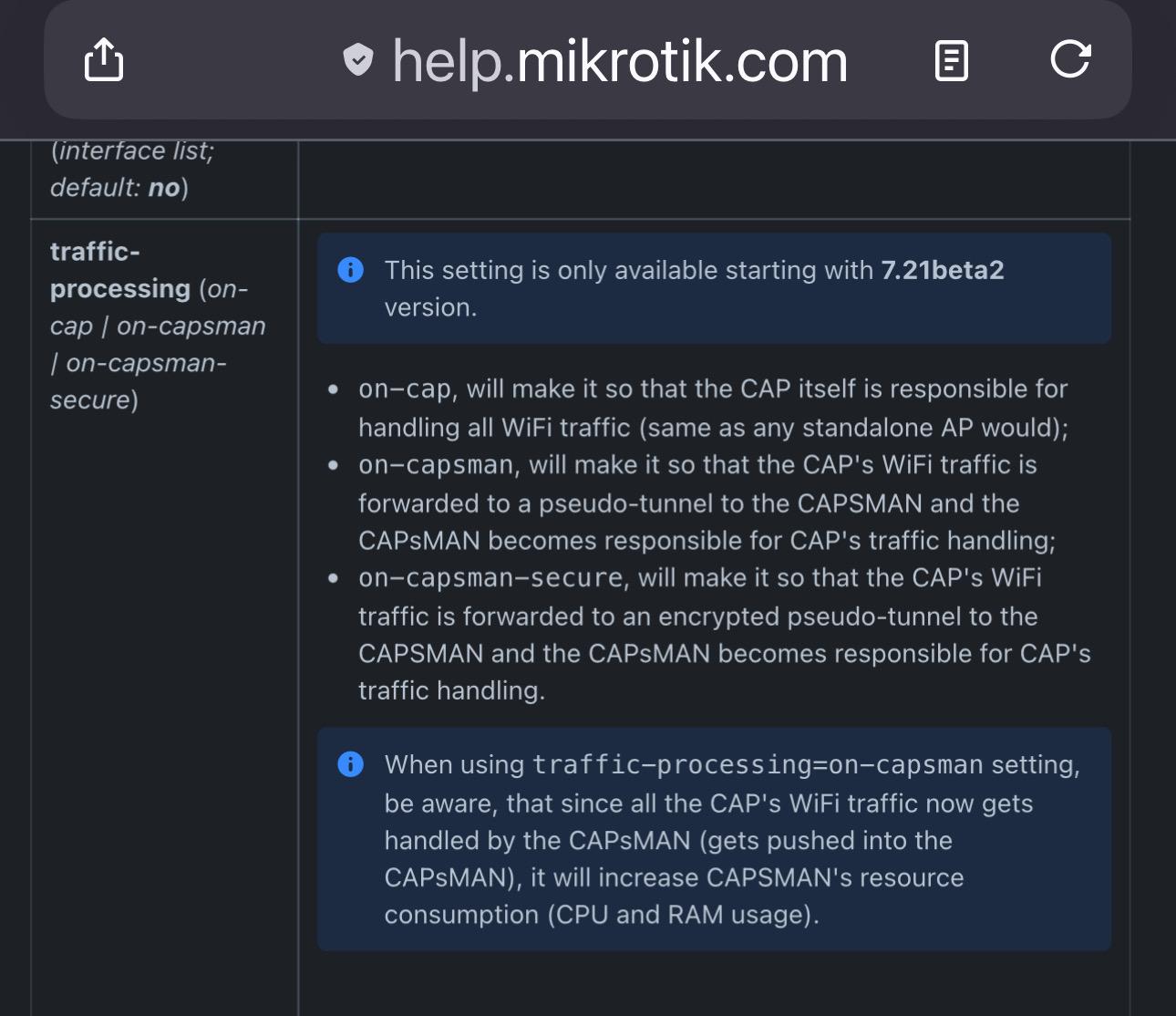
CAPsMAN user traffic can now once again be remotely forwarded to a bridge on the controller. It’s like the old “remote forwarding” but they’ve renamed it “traffic-processing”. They’ve also added encryption 🥳 Thank you #MikroTik!! This is going to make running multiple SSIDs without needing vlans programmed on all the many switches MUCH easier! ❤️
Alt...
Excerpt from MikroTik Documentation. “traffic-processing (on-cap / on-capsman / on-capsman-secure)
This setting is only available starting with 7.21beta2 version.
• on-cap, will make it so that the CAP itself is responsible for handling all WiFi traffic (same as any standalone AP would);
• on-capsman, will make it so that the CAP's WiFi traffic is forwarded to a pseudo-tunnel to the CAPSMAN and the CAPSMAN becomes responsible for CAP's traffic handling;
• on-capsman-secure, will make it so that the CAP's WiFi traffic is forwarded to an encrypted pseudo-tunnel to the CAPSMAN and the CAPsMAN becomes responsible for CAP's traffic handling.
When using traffic-processing=on-capsman setting, be aware, that since all the CAP's WiFi traffic now gets handled by the CAPsMAN (gets pushed into the CAPSMAN), it will increase CAPSMAN's resource consumption (CPU and RAM usage).
New version! #MikroTik RouterOS 7.23beta5 is available in the Development channel https://mikrotik.com/download
New version! #MikroTik RouterOS 7.23beta4 is available in the Development channel https://mikrotik.com/download
New version! #MikroTik RouterOS 7.22.1 is available in the Stable channel https://mikrotik.com/download
USA bans any new foreign #router! Now they are completely nuts! #mikrotik #fritzbox
https://www.fcc.gov/document/fcc-updates-covered-list-include-foreign-made-consumer-routers
![[?]](https://snac.bobadin.icu/lorenzo/s/a0efd320d68845ce829fa692b5222212.png)
New version! #MikroTik RouterOS 7.23beta2 is available in the Development channel https://mikrotik.com/download
![[?]](https://shore.me.uk/social/nick/s/cf6308305561d13738fb690e63e1c169.png)
New version! #MikroTik RouterOS 7.22 is available in the Stable channel https://mikrotik.com/download
@gyptazy Nice! Mine are just small companies with just one server but in need of a good strategy for backups. I motitor them using https://github.com/rcourtman/pulse connected to me by #wireguard and #mikrotik ! Backup with local pbs to a remote pbs through wireguard vpn. Simple, safe and secure.
New version! #MikroTik RouterOS 7.22rc4 is available in the Testing channel https://mikrotik.com/download